
TL;DR: Start your 2027 B2B email plan with Tuesday, Wednesday and Thursday. Current research makes 4:00 to 6:00 p.m. a sensible first window to test, while morning and lunchtime results from other studies are still useful comparison points. Schedule by the recipient’s local time and match the review window to your send volume: about six months for lower-volume senders or six weeks for frequent senders. Measure the action that matters to the business, not only the open rate.

It's frustrating when you write emails and hardly anybody opens them. When I'd see an open rate under the universal 20%, the negative talk would creep in.
Maybe my subject line wasn't good enough.
Did they even see it in their inbox?
Maybe they just don't like what I'm offering.
The best way to improve your open and click rates (on purpose) is to test. But if you test everything at once, you won't know which change actually made the difference. So we go one piece at a time, in order.
Are your emails even getting there?
Start with your analytics. Before you rewrite a single subject line, we need to rule out the one problem that makes every other number inaccurate. Your emails might not be landing in the inbox at all.
Your open rate only counts people who received the email in the first place. If part of your list is getting routed to spam, buried in a promotions tab they never open, or bounced back entirely, those people were never going to open you no matter how great your subject line was. So a low open rate sometimes has nothing to do with your writing. It's a delivery problem that may have been disguised as a content problem.
A few things to check in your analytics:
Your delivery rate and bounce rate. A climbing bounce rate usually means your list has gone stale or has bad addresses on it.
A sudden drop in opens with no change on your end. That's often an authentication or reputation issue that's been building for a while and finally tipped over a line.
Your spam complaint rate. Gmail and Yahoo want this under 0.3%, ideally under 0.1%. Cross it and they'll start throttling you or sending you straight to spam.
Where you actually land. Send a test to a Gmail, Yahoo, and Outlook address, then see if you hit the inbox or get filed somewhere they'll never look.
If these are issues, here's some things to try:
Authenticate your domain. This is the big one now. Gmail and Yahoo expect three things set up on your sending domain: SPF, DKIM, and DMARC. You don't need to understand the acronyms, you just need them in place. Your email platform (Mailchimp, Flodesk, Kit, whatever you're on) has a step-by-step for this, and it's usually a copy-paste into your domain settings or a quick job for whoever manages your website.
Use a real, recognizable from-name. "[Your Name] at [Business]" earns more trust than "info@" or a name nobody recognizes.
Make unsubscribing easy. One-click unsubscribe is required now, and it has to process within two days. It feels backwards, but an easy exit protects you, because people unsubscribe instead of hitting the spam button. And it's the spam button that actually tanks your reputation.
Clean your list. Drop the hard bounces and the folks who haven't opened anything in six months to a year. A smaller, engaged list beats a big one full of people who never open.
Once you know your emails are arriving, the next job is getting them to sit at the top of the inbox when your reader opens it. That part isn't luck. It comes down to when you hit send. Land right before someone reaches for their phone and you're at the top. Miss the window and you're buried under everything that came in after. After that, you can move on to A/B testing your subject lines and the rest.
For this article, we're focusing on that timing step: the best days and times to send for more opens.
Best Times to Send Marketing Emails for B2B in 2027
If you're emailing people at work, your safest starting window is Tuesday, Wednesday, or Thursday. The time of day is where the research splits, so this is where your own testing becomes very important.
Here’s the split.
The traditional pick is mid-morning to lunch, on the logic that professionals check email between meetings. Email strategist Jeanne Jennings keeps B2B sends inside business hours and has used 11:30 a.m. to noon for newsletters designed to be read over lunch.
Other email studies point somewhere else. It also lands on Tuesday through Thursday for the highest average open rates, but its hourly data favours late afternoon: 4:00 to 6:00 p.m. is a strong weekday window, with peaks around 4:00 p.m. as people clear their inboxes before logging off.
Two things the research does agree on:
Weekends underperform for B2B. A well-written email that lands Saturday morning tends to get buried under Monday’s backlog before anyone sees it.
Reaching executives? A 7:00 to 8:00 a.m. send can catch C-suite and VP inboxes before the first meeting of the day.
Best Times to Send Marketing Emails for B2C in 2027

If you're emailing consumers, your sweet spots shift toward personal time: mid-morning (9 to 11 a.m.) and the after-work window of roughly 5 to 8 p.m. in your reader's local time, with weekends worth testing for promotions.
The difference from B2B comes down to when your reader has their own time and their wallet nearby. Most consumers have more personal leisure time in the afternoons and weekend mornings.
Here’s the latest data:
Evenings around 8 to 9 p.m. produce strong click-through rates even when morning open rates look higher. People open in the morning and act later, so watch clicks, not just opens.
Heading into the weekend works. Thursday evening around 6 to 7 p.m. consistently performs well for promotions, when people are in a spending mindset.
Weekend mornings around 9 a.m. can perform for retail and leisure brands, and Saturday afternoon shows a solid click rate too.
The first and last days of the month show above-average conversions, likely tied to payday cycles.
Your best "send time" often isn't a clock at all. Welcome emails sent the moment someone signs up average over 80% open rates, and abandonment emails sent within an hour or two ride real intent that no scheduled blast can match. For a service business, your booking confirmations, reminders, and welcome sequences can do a lot of the heavy lifting.
Before you lock in your send times
Benchmarks can help you choose where to begin, but they cannot tell you what your own list will do.
So, these are starting points, not gospel. Your own list is the real authority. Run a few A/B tests over four to six weeks and let clicks and conversions pick the winner.
Watch out for Apple's Mail Privacy Protection. It inflates open rates by roughly 8 to 15%, so opens read higher than reality. Clicks are the more reliable engagement metric.
There are many different reports out there and the results vary due to different audiences, industries, locations and measures of success. For 2027, we would give the newer late-afternoon research the first test while keeping morning and lunch as comparison windows.
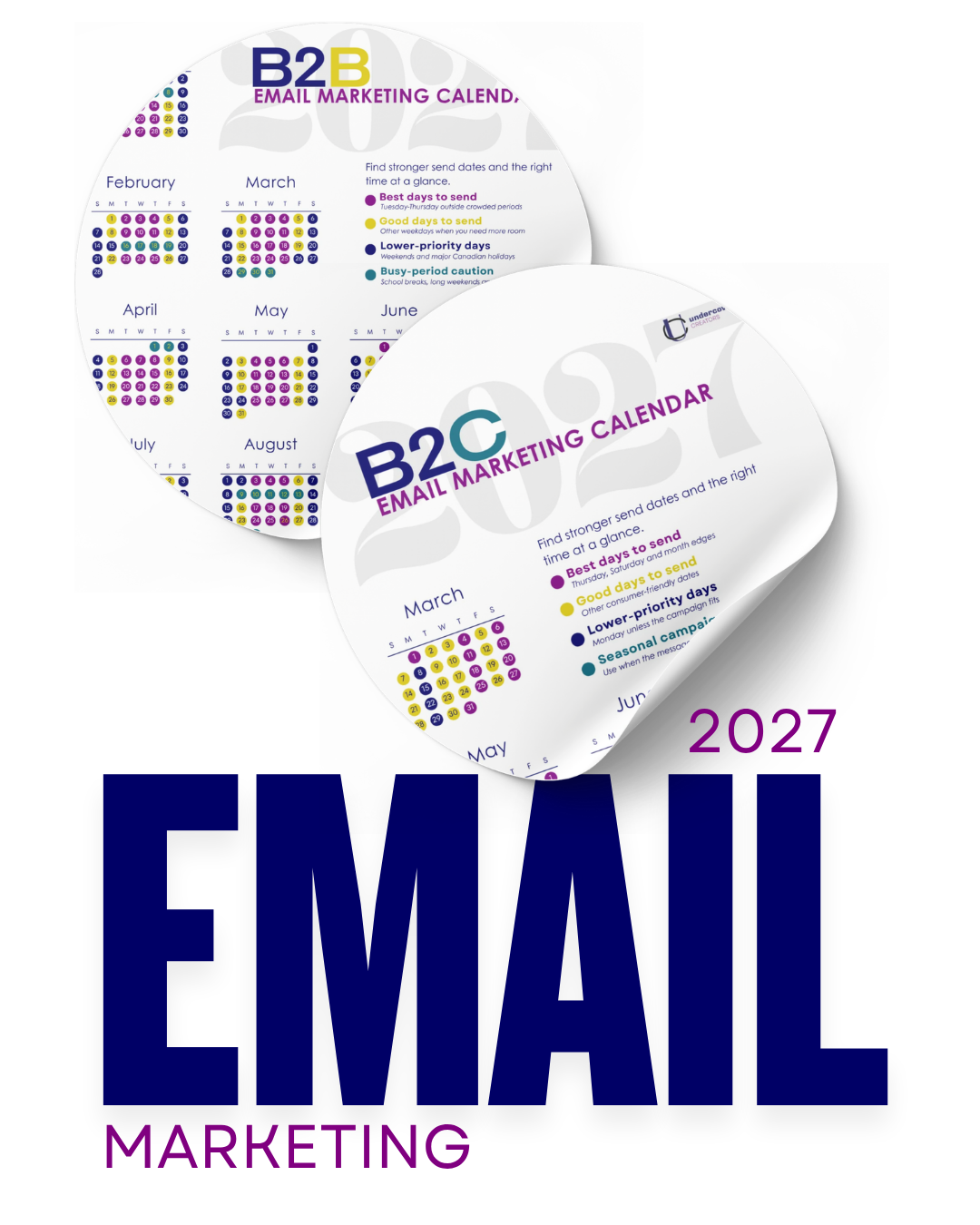
Our 2027 B2B Email Marketing Calendar maps the current research onto next year’s dates so you can plan campaigns without reopening the same question every month. It shows stronger, average and lower-performing dates based on current research, while leaving room for your own results to change the plan.
Once you’ve used the calendar to choose your first send dates, the next five steps will help you make the schedule more specific to your business.
1. Picture the Person Receiving the Email
Instead of asking, “What time should we send?” ask what the recipient will be doing when the email arrives. That second question usually gets you closer to a useful answer.
Imagine a business owner who starts the day with customer problems, staff questions and a meeting that should have been an email. A detailed industry newsletter arriving at 8:03 a.m. may be pushed aside while they deal with everything else. That same person might read it at lunch or click through at 4:30 p.m. when the most urgent work is finished.
Now imagine a parent trying to book a physiotherapy appointment for their child. Their workday may be the worst time to ask them to compare appointment options. So an early evening email or something over lunch could reach them when they finally have a calendar nearby and enough attention to make a decision.
The best time can change based on the type of campaign, the audience segment, the reader’s location and the action the email asks them to take. A newsletter, a one-day discount and a product launch should not automatically share the same schedule.
You should also consider where your readers are located. If you schedule everything in Saskatoon time but part of your list is in Ontario, the same campaign can reach those inboxes at a very different point in the workday. Saskatoon stays on Central Standard Time while many other Canadian cities change their clocks seasonally. Use your email platform’s recipient-time-zone feature when it is available, or segment large regional groups when the timing difference could affect the campaign.
When you plan each 2027 campaign, write down who it is for and what you want that person to do. Then choose a time when they are likely to have enough attention to do it.
2. Use Website Traffic to Form a Better Theory
If you’re unsure where your audience has room in their day, your website may already be leaving clues.
Look at your analytics by day and hour. If your service pages consistently receive more visits on Tuesday afternoons, try scheduling an email shortly before that window. If readers spend time with your educational content on Sunday evenings, you may have found a useful time for a longer newsletter, even if a general B2B benchmark tells you to stick to weekdays.
A good example is one of our health professional clients. Their traffic peaked on two weekday afternoons. When we tested email sends during those same windows, those campaigns produced the strongest engagement and conversions.
That is the role of research throughout this process. You are not looking for a report that makes the decision for you. You are looking for enough evidence to make the first decision more informed.
3. Review Your 2026 Results Before Planning 2027
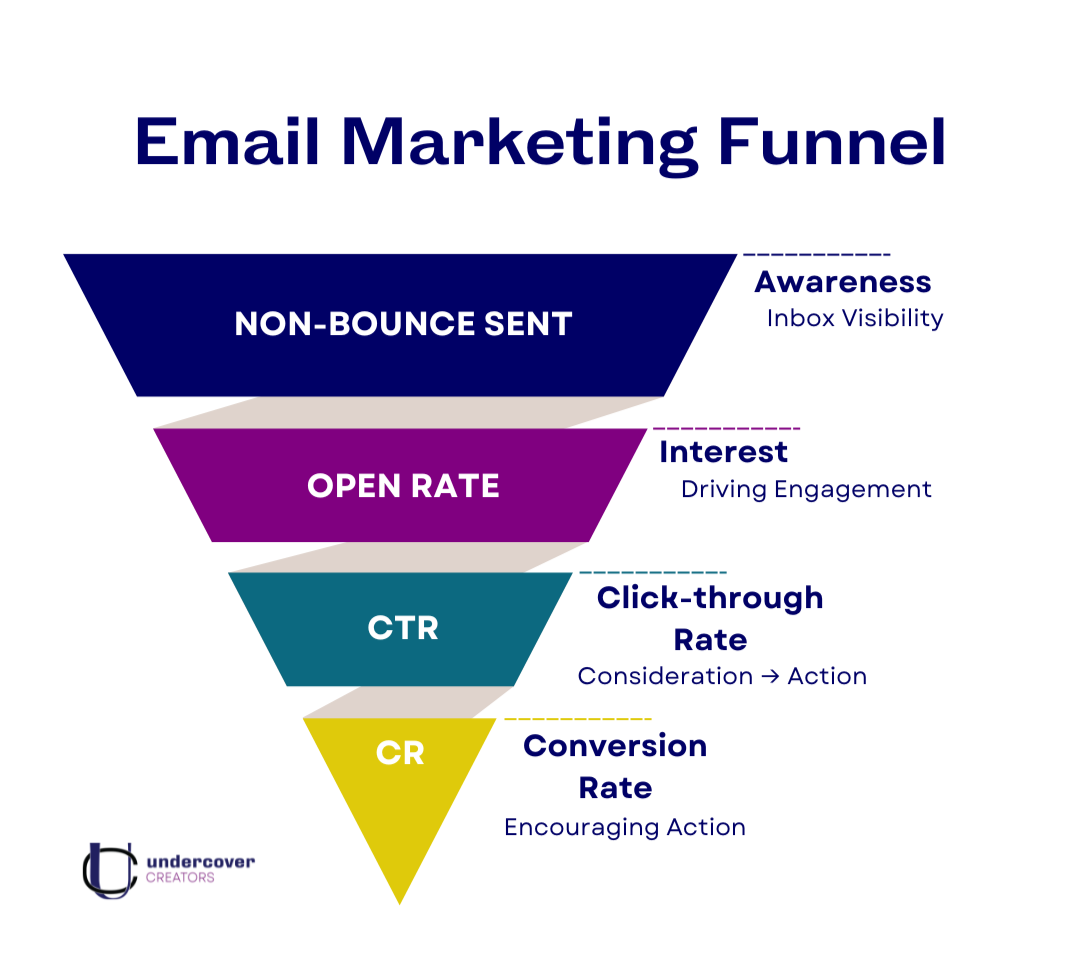
The most relevant timing research may be sitting in your own email platform right now.
How much history you need depends on how often you send. If you send once or twice a month, review at least six months. If you send several times a week, six weeks may be enough. When possible, aim for roughly 100 emails in each category you compare. If your volume is lower, use the longest comparable period available and treat the pattern as directional. This is more manageable than it sounds. Most email platforms will provide reporting but some come at an additional cost.
If you aren’t ready to invest, you don’t need a complicated dashboard to start. A simple spreadsheet can capture:
· The day and time each email was sent
· The audience or segment
· The kind of email
· The subject line
· Opens and clicks
· Replies, bookings, sales or other conversions
Add tracking codes, often called UTM parameters, to the links in your campaigns. Your email platform can tell you that someone clicked, while your website analytics can show which campaign brought the visit and whether that person reached a booking, purchase or contact page.
The metric should match the goal.
A newsletter with a 42% open rate but almost no clicks is good for awareness, but not conversion. A promotional email with a 31% open rate that leads to three consultation requests is much more effective when conversion is the goal.
Open rates also need more context than they once did. Apple’s Mail Privacy Protection prevents senders from seeing whether protected users opened an email and masks location information tied to their IP address. That makes opens less dependable as a stand-alone measure. We still watch them for directional patterns, but we put more weight on clicks, replies, bookings, leads and sales when those actions match the campaign goal.
When we review email results, we want to know whether a pattern repeats. Did late-afternoon sends consistently bring more website visits? Did a certain audience respond differently from the rest of the list? Did a lower-open email create more bookings because the offer was more relevant?
One unusually strong campaign may tell you more about the topic or subject line than the send time. Several comparable campaigns pointing in the same direction give you something you can use in 2027.
4. Build Timing Tests Into the Calendar
Once your 2027 schedule has a few starting dates, choose one or two places where you can test the timing instead of guessing about it all year.
You might compare Tuesday with Thursday, 11:30 a.m. with 4:30 p.m., or business hours with early evening. Keep the audience, subject line, content and offer the same so timing is the only meaningful difference.
Jennings’ holiday email case study shows how wide the gap can be. In one large-list test, Thursday produced revenue per email nearly 60% higher than Tuesday, while Friday performed nearly 60% below Tuesday. That does not mean Thursday will beat Friday for your business. It means a broad recommendation would never have revealed the difference for that particular list and campaign.
We have also seen smaller timing changes make a measurable difference. In testing summarized in our 2026 email trends article, emails sent at less predictable minutes, such as 9:17 or 10:43 instead of directly on the hour, produced open-rate increases of around 15%. We treat that as an observation from our testing, not a promise that moving your send by 17 minutes will improve every campaign.
Test the larger question first. Compare morning with late afternoon, or Tuesday with Thursday, before testing whether an off-the-hour minute helps. If you change the day, time, subject line and offer together, the report may look different, but you will not know which change caused it.
Smaller businesses can test too. Your test may take longer to produce a clear pattern, but you can still compare similar sends over time and watch for a consistent difference.
Most importantly, judge the test using the action the email was supposed to produce. If the goal was bookings, compare bookings. If the goal was sales, compare sales. Opens and clicks can help explain the result, but they are not always the result the business needs.
5. Treat Automated Emails Differently
Your monthly newsletter needs a scheduled day and time. A welcome email or follow-up triggered by someone’s behaviour usually does not.
You should time your automated emails around the customer action that triggers them. If someone downloads a guide at 8:17 p.m., a useful follow-up can arrive while the topic is still relevant to them. Holding it until your “best” Tuesday afternoon slot could make the experience feel disconnected.
The 2027 calendar is a good example. The email that delivers the download should arrive right away because the person is waiting for it. A follow-up the next day could help them plan their first four campaigns or explain how to use the stronger and weaker dates. Those messages are part of a welcome sequence, so the subscriber’s action should guide the timing more than a general B2B benchmark.
Send-time optimization tools can also use past behaviour to predict when each subscriber is likely to open or click. That can be helpful when your list crosses time zones, but check what the platform is actually optimizing. A tool may improve opens when your real priority is replies, appointments or purchases.
This is one reason we would not schedule every email in exactly the same way. Planned campaigns, behaviour-based automations and time-sensitive reminders each have a different job.
Sometimes Timing Isn’t the Problem
When an email underperforms, changing the send time can feel like the easiest fix. Move it from Thursday morning to Tuesday afternoon and hope the next report looks better.
Before you change the calendar, read the email again from the customer’s side. Does the subject line give them a clear reason to open? Does the first paragraph connect to something they already care about? Is the next step obvious? Does the email sound like your business, or could it have come from almost anyone?
We also preview every campaign on a phone before it goes out. If the main point is buried, the button is hard to find or the reader is being asked to take three different actions, a better send time will not repair the experience. One useful message and one clear next step give the timing test a fair chance.
An email about “five ways to improve your wellness” may struggle at every hour of the week because it asks the reader to care about something broad. An email answering “Why does my hip hurt when I sleep on my side?” has a much clearer reason to be opened by the person experiencing that exact problem.
Timing can help a relevant email arrive at a better moment. It cannot make a vague message feel useful.
Plan the Year, Then Let the Results Improve It
The point of a 2027 email calendar is not to lock you into 12 months of dates before you know what will happen. It is to take one recurring decision off your plate, give your team enough lead time to create better emails and make testing part of the plan instead of something you remember after a campaign disappoints you.
Start with the stronger dates in the 2027 B2B Email Marketing Calendar. Review your 2026 results before finalizing the schedule. Choose a few timing questions worth testing, and leave room to move future sends when your audience gives you a better answer.
That is a much more useful plan than choosing Tuesday because the internet said Tuesday was best.
Frequently Asked Questions
What is the best day to send a B2B marketing email in 2027?
Tuesday, Wednesday and Thursday have been found to produce the highest average open rates, but your best day will depend on your audience, offer and goal. Use the benchmark to plan your first sends, then compare it with your own email and website data.
What is the best time to send a B2B email?
Late morning, lunchtime and 4:00 to 6:00 p.m. are reasonable windows to test. Schedule by the recipient’s local time when possible, and choose a time when they are likely to have enough attention to take the action your email requests.
Is Tuesday always the best day to send an email?
No. Tuesday performs well in broad studies, but it is not automatically the best day for every list. The type of email, the audience, the time zone and the action you want can all change the result.
How much email history should I review?
If you send once or twice a month, review at least six months of data so you have enough similar campaigns to compare. If you send several times a week, six weeks may be enough. When possible, aim for roughly 100 emails in each category you compare. If your volume is lower, use the longest comparable period available and treat the result as directional.
Should I judge send time by open rate?
Open rate is useful, but it should not be the only measure. Track the action the email was meant to produce, such as clicks, replies, bookings, leads or sales. A lower-open email can still be the stronger business result.
Can a small email list test send times?
Yes. If you don’t have the minimum required subscribers for A/B testing you can try manual segmentation. Small lists just need more repeated tests across comparable campaigns before a useful pattern becomes clear.
About the Author

Lindsay Fuchs is Co-Founder & Content Strategist at Undercover Creators. She develops brand messaging and content strategies for owner-led businesses and professional service providers, and works directly with businesses to plan, create, test and analyze content across social media, websites, blogs, and email. Undercover Creators is based in Saskatoon and works with clients across Saskatchewan.
Want Help Planning What to Send?
A calendar can help you choose the dates, but you still need to decide what each email should say, how it fits with the rest of your marketing and why your audience should care.
At Undercover Creators, we help owner-led businesses turn their expertise, offers and goals into clear email strategies and useful content that sounds like them.
If you are still planning your marketing yourself, start with the free 2027 B2B Email Marketing Calendar and get your first campaign dates out of your head and onto the calendar.
Sources
Jeanne Jennings, “5 Ways to Determine the Best Day/Time to Send Email To Your List”
Klaviyo, “Email Strategy FAQ: When Is the Best Time to Send an Email?”
Pipedrive, “The Best Time to Send an Email (According to Data)”
Apple Support, “Use Mail Privacy Protection on iPhone”
Undercover Creators, “Get BETTER Email Results: What’s Trending for 2026”
Undercover Creators, “7 Email Strategies That Convert: A Guide for Purpose-Driven Businesses”
MarketersMedia, “Best Days to Send Marketing Emails”
UM, “The Best Time to Send Marketing Emails in 2026”